NoMachine for Mobile

Your remote desktop in your pocket
Turn your iOS or Android device into powerful remote desktop client and access your computer from anywhere. Download the NoMachine app from your device's app store and connect to your desktop with just a few taps.
Enjoy the Power of NoMachine

Get your account, get your free trial and connect your way

With NoMachine, you can reach any computer on any network. Start by creating your NoMachine account, then install and activate Personal Edition or any Enterprise product on the target machine. You can then connect from any of your NoMachine devices using the target machine's IP address. Don't know the IP or can't reach the machine because it's behind a NAT or firewall? Use NoMachine Network instead, the additional service that removes the barriers to remote access, letting you connect to your computers wherever they are. Want to try it? Publish your target machine to Network, activate your free 7-day trial from your account and start connecting.

Create account

Discover the Power of Network

Enjoy the freedom to work from wherever you are and from any device

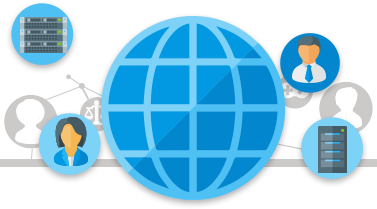
With NoMachine you can reach any computer by using its IP address, but if you don't know it or can't access the machine because it's behind a NAT or a firewall, then you should use NoMachine Network. NoMachine Network is an additional service that removes the barriers to remote access, letting you connect to your computers wherever they are. Want to try it? Publish your target machine to Network, activate a free 7-day trial from your account and start connecting.

Learn more